Doors Cursors
This fan-made Doors cursor set for Chrome takes the edge off the hotel's entities in five packs.
5 Doors cursor packs
All Gaming cursors





Hover a card to preview the cursor, then press “Use this pack” to add it.
About the Doors cursor collection
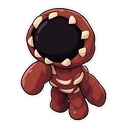
This fan-made Doors cursor set for Chrome takes the edge off the hotel's entities in five packs. Doors Figure is gentle and eyeless, with a library book on hover. Doors Seek keeps its single big eye and gets a room number plate. Doors Screech is round and cute, paired with a flashlight. Two packs skip the monsters: Doors Guiding Light, the blue glow with a bottle of Vitamins, and Doors Lighter, a flame with a skeleton key. For fans who want the hotel without the jump scares.
Entities and the items that get you past them
Each hover pointer belongs to its entity's part of a run. Figure is blind and hunts by sound in the library at door 50, where you gather books to work out the exit code. Seek is the chase, so its plate is the door number you sprint towards. Screech lurks in dark rooms, which is when you want a flashlight. The Guiding Light points out the way, and Vitamins give the burst of speed that saves a bad run. The Lighter and skeleton key are both pickups.
A Doors cursor that is cute, not scary
The art softens everything. Figure is a gentle chibi, and Screech is in kawaii style with sparkly eyes and rosy cheeks. That makes the set usable by younger Roblox players who love the game but not the frights. They are still horror characters, so a parent may want to look first. The two item packs have no entity in them at all, and they are the calm choice for homework tabs and long reading sessions.
Which Doors pack to pick
Doors Guiding Light and Doors Lighter are the simplest subjects, so they suit a small cursor. Doors Seek is the striking one, a single large eye that is easy to track. Doors Screech is the cutest of the entities. Doors Figure is a tall character, so try it one size up. For hover pointers, the skeleton key and the flashlight are the most pointer-like.
All 5 Doors packs
Each pack is a matched pair: one image for your normal pointer and one that takes over when you hover a link or button.
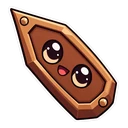
- Doors Seek and Room Number Plate Cursor: Seek with its single big eye for the pointer, a room number plate on hover.
- Doors Screech and Flashlight Cursor: a round for the pointer, a flashlight on hover.
- Doors Guiding Light and Bottle of Vitamins Cursor: the blue Guiding Light for the pointer, a bottle of Vitamins on hover.
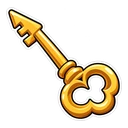
- Doors Lighter and Skeleton Key Cursor: the Lighter with a flame for the pointer, a skeleton key on hover.
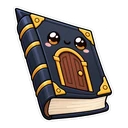
- Doors Figure and Library Book Cursor: a chibi Figure for the pointer, a library book on hover.
How to add a Doors cursor to Chrome
Add Cursor Customiser, the free custom cursor extension, from the Chrome Web Store, then press “Use this pack” on any pack above. It applies straight away.
Related guide: Custom cursors for Roblox players. You can also add a cursor trail or make your own pair.
Where Doors cursors work
Doors runs inside the Roblox Player on a computer, or the Roblox app on a phone or console, and a Chrome extension cannot reach any of them. Nothing changes during a run. The packs change your cursor in Chrome: the Doors page on roblox.com, the Doors wiki, YouTube playthroughs and any other normal site.
Frequently asked questions
Are the Doors cursors scary?
They are meant to be cute. The artwork shows a gentle Figure and a round, friendly Screech in a sticker style. They are still horror characters, so parents of younger children may want to look first.
Why does the Figure cursor come with a library book?
Figure guards the library at door 50, where players quietly collect books to work out the code for the exit. The book in this fan-made pack is a nod to that room.
Is there a Rush or Ambush cursor for Doors?
Not yet. The entities in the set are Figure, Seek and Screech, with the Guiding Light and the Lighter as item packs. For Rush, Ambush or Eyes you can upload your own image in the builder.
Are these official Doors cursors?
No. They are fan-made and unofficial. Cursor Customiser is not affiliated with or endorsed by LSPLASH. They are free, with no ads inside the extension and no account.
Fan-made and unofficial. Cursor Customiser is not affiliated with, endorsed by or sponsored by LSPLASH. All names and characters belong to their respective owners. Rights holder with a concern? See copyright and takedown requests.