






Custom cursors for Chrome,beautifully done.
A free custom cursor Chrome extension for Chrome and Chromebook. Pick a pack and your mouse cursor changes in one click.


Every pack is a pair
One image is your normal cursor. A second, matching one takes over when you point at a link or button, so you always know what is clickable. This one is Roblox Noob and Classic Linked Sword Cursor.
Using a mouse? Move over the two pictures to try both.
Popular custom cursor packs
Free, ready-made pairs for Chrome. Press “Use this pack” to add one.





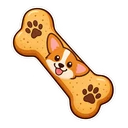
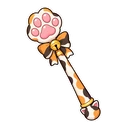
A custom cursor Chrome extension, free
Cursor Customiser is a custom cursor Chrome extension that swaps your mouse cursor for one you actually like. Install it from the Chrome Web Store, pick a pack, and the cursor changes on every website you open. Each pack has two images: a cursor for normal use and a hover pointer for links and buttons.
The library has 450+ custom cursor packs, from cute cursors and animals to fan-made game and anime characters, and you can make your own from any image. It also works as a simple cursor changer: resize the cursor, switch it off, or go back to the default pointer in one click.
- What it changesYour mouse cursor on web pages in Chrome, not across your whole computer.
- Where it worksChrome, Chromebook, Edge, Opera GX and Brave.
- What it costsNothing. No ads inside the extension and no account.
- Also searched asCursor Customizer, custom cursor extension, custom cursor for Chrome.
Custom cursor collections
Find your theme: cute cursors, gaming, anime, animals, kawaii, pink, Roblox and Minecraft.











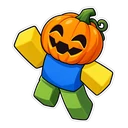






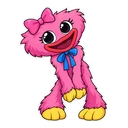


In season: Christmas cursors
Fan-made seasonal packs, here while the season lasts.








Fan-made and unofficial. Cursor Customiser is not affiliated with, endorsed by or sponsored by the rights holders. All names and characters belong to their respective owners. See copyright and takedown requests.
How to change your mouse cursor in Chrome
Works inChromeChromebookMicrosoft EdgeOpera GXWindows 11Mac
It changes your cursor inside the browser, not across your whole computer.
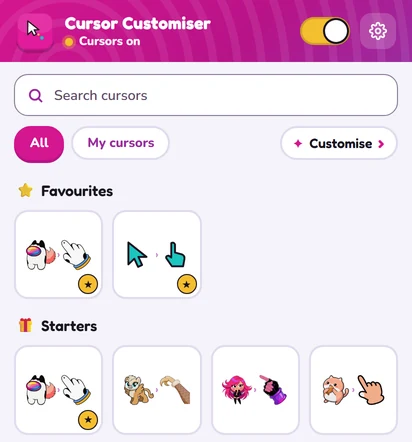
The extension, in one tidy popup
Search your cursors, keep favourites, resize with a slider, and switch a cursor trail or click effects on and off. Every change applies the moment you make it.
Make your own custom cursor
Pick a normal cursor and a hover cursor from any pack, or upload your own image and the background is cut out for you, right in your browser.
Open the cursor makerThe honest custom cursor extension
No nags, no fake badges, no surprise ads: the things people complain about in other cursor extensions, left out from day one. It is a custom cursor without ads and a one-click cursor changer. See how it compares with other cursor extensions.
Ads inside the extensionAccount sign-upPermission overreachCursors that won’t revert- Just cursors. On, off, done.
Custom cursor guides
Set-up help, fixes and how to make your own.

How to Get a Custom Cursor on a Chromebook: What Works
A Chromebook gets a custom cursor from a Chrome extension, because ChromeOS itself can only resize and recolour the pointer. Here is how, and what a school device allows.
Read guide →
Custom Cursor Not Working? 7 Fixes That Actually Work
Reload the tab, then check you are on a normal website. Those two fix most cases. If not, work through the rest of the list in order.
Read guide →
How to Make Your Own Custom Cursor (Free)
Pick a pointer, pick a hover pointer, press Add to Chrome. Here is each step in the free constructor, plus tips for a cursor you can actually see.
Read guide →Custom cursor questions
Ready for a better cursor?
450+ free custom cursor packs for Chrome, one click to add, and your normal mouse cursor back whenever you want it.