Green Cursors
Green cursor packs chosen by colour: frogs, moss and matcha from the site's own designs, plus fan-made game and anime characters. Each pairs a pointer with a hover image.
22 Green cursor packs
Search all packs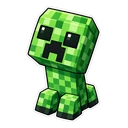
























Hover a card to preview the cursor, then press “Use this pack” to add it.
About the Green cursor collection
Green brings together two very different crowds. The site's own designs are the natural ones: Emerald Pixel Frog, Perched Chameleon, Moss Pixel Sprite and Verdant Rain Pixel, a grassy tuft with a raindrop, plus two treats, Lime Candy Cube and Matcha Froth Buddy. The larger share is fan-made and unofficial, drawn from games, anime and cartoons: Minecraft Creeper, Zelda Korok, Stardew Junimo, The Sims Plumbob, Brawl Stars Leon, Brawl Stars Spike, Clash Royale Goblin and Overwatch Neon Genji, then Deku, Gon Freecss, Tanjiro Kamado, Piccolo and Shenron, and from cartoons Pickle Rick, Rick and Morty Portal and Powerpuff Buttercup.
Emerald, moss, lime and matcha
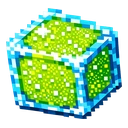
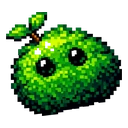
The originals cover four greens. Emerald Pixel Frog and Perched Chameleon are emerald, the frog in saturated high-contrast pixels and the chameleon in a soft glossy sticker style. Moss Pixel Sprite is a rich, mossy emerald with a leaf for a finger. Lime Candy Cube is juicy lime with bright blue edges, the sharpest of the lot. Matcha Froth Buddy is a cup of swirled green froth. Among the fan-made packs, The Sims Plumbob is a glowing green that turns pink on hover, and Rick and Morty Portal is a swirling neon green.
Green cursors that glow, for dark mode
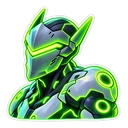
Two fan-made packs are drawn as neon stickers with a soft outer glow. Overwatch Neon Genji shows the cyborg ninja in his signature green, with a neon shuriken over links. Rick and Morty Portal is the portal itself, with a neon portal gun on hover. Both are made for dark pages, where the glow has something to shine against, and both look paler on white. The Sims Plumbob glows as well. If your browser stays in dark mode, start with these three before the leafy packs.
Creepers, Koroks and Junimos: small game creatures
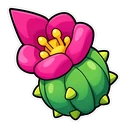
Plenty of games have a small mascot creature, and several are here as fan art. Minecraft Creeper is a chibi Creeper with its frown, and a block of TNT appears on hover. Zelda Korok is a leafy Korok, paired with a Korok seed. Stardew Junimo is a green Junimo with a Stardrop over links, a simple, bright shape that stays easy to see. Brawl Stars Spike, the cactus, swaps to a cactus flower. They show on the games' wikis and websites, never inside the games.
Which Green pack to pick
Mid-tone greens show on both white and dark pages, which makes this an easy colour to live with. For light sites, Emerald Pixel Frog has strong contrast. For dark sites, try Lime Candy Cube, Overwatch Neon Genji or Rick and Morty Portal. Stardew Junimo is a simple shape for small sizes. If you want green without a franchise, stay with the frog, chameleon, moss sprite and matcha cup. Anime fans can pick Deku in his green hero suit or Gon Freecss with his fishing rod.
All 22 Green packs
Each pack is a matched pair: one image for your normal pointer and one that takes over when you hover a link or button.
Show all 22 packs, described
- Minecraft Creeper and Block of TNT Cursor: a chibi Creeper with its classic frown for the pointer, a block of TNT on hover.
- Zelda Korok and Korok Seed Cursor: a leafy Korok saying “Yahaha!” for the pointer, a Korok seed on hover.
- Stardew Junimo and Stardrop Cursor: a green Junimo bouncing for the pointer, a Stardrop on hover.
- Overwatch Neon Genji and Neon Shuriken Cursor: Genji glowing neon green for the pointer, a neon shuriken on hover.
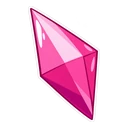
- The Sims Plumbob and Pink Plumbob Cursor: a glowing green Plumbob for the pointer, a pink Plumbob on hover.
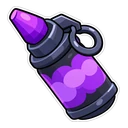
- Brawl Stars Leon and Smoke Bomb Cursor: Leon in his green hood for the pointer, a smoke bomb on hover.
- Brawl Stars Spike and Cactus Flower Cursor: chibi Spike the cactus for the pointer, a cactus flower on hover.
- Clash Royale Goblin and Goblin Barrel Cursor: a giggling Goblin for the pointer, a Goblin Barrel on hover.
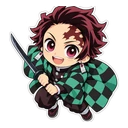
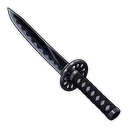
- Tanjiro Kamado and Black Nichirin Sword Cursor: chibi Tanjiro in his checkered haori for the pointer, his black Nichirin sword on hover.
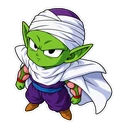
- Piccolo and Senzu Bean Cursor: chibi Piccolo in his cape for the pointer, a Senzu bean on hover.
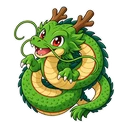
- Shenron and Dragon Radar Cursor: a coiled chibi Shenron for the pointer, a Dragon Radar on hover.
- Deku and Hero Notebook Cursor: chibi Deku in his green hero suit for the pointer, a hero notebook on hover.
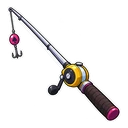
- Gon Freecss and Fishing Rod Cursor: chibi Gon in green for the pointer, his fishing rod on hover.
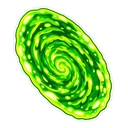
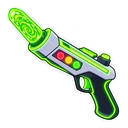
- Rick and Morty Portal and Neon Portal Gun Cursor: a swirling neon-green portal for the pointer, a neon portal gun on hover.
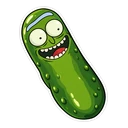
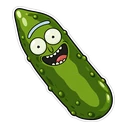
- Pickle Rick and Pickle Slice Cursor: Pickle Rick grinning for the pointer, a pickle slice on hover.
- Powerpuff Buttercup and Green Lightning Bolt Cursor: chibi Buttercup with a tough grin for the pointer, a green lightning bolt on hover.
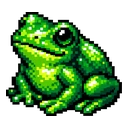
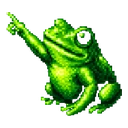
- Emerald Pixel Frog Cursor: a shiny emerald green pixel art frog for the pointer, the same pixel frog pointing with a webbed foot on hover.
- Verdant Rain Pixel Cursor: a pixel grass tuft with a blue raindrop for the pointer, the grass critter pointing with a leafy arm on hover.
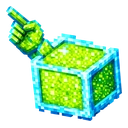
- Lime Candy Cube Cursor: a pixel art lime green candy cube with blue edges for the pointer, the same lime cube with a pixel hand pointing on hover.
- Perched Chameleon Cursor: a chubby green chameleon with a curled tail for the pointer, the chameleon raising a front leg to point on hover.
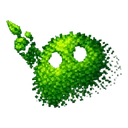
- Moss Pixel Sprite Cursor: a pixel art mossy green blob with a leafy sprout for the pointer, the same moss blob pointing with a leafy arm on hover.
- Matcha Froth Buddy Cursor: a smiling green teacup with a swirl of froth for the pointer, the same green teacup with a small pointing hand on hover.
How to add a Green cursor to Chrome
Add Cursor Customiser, the free custom cursor extension, from the Chrome Web Store, then press “Use this pack” on any pack above. It applies straight away.
Related guide: Custom cursors on a Chromebook. You can also add a cursor trail or make your own pair.
Where Green cursors work
Green cursors show on any page in Chrome, Edge, Brave or Opera GX: plant-care and gardening sites, Spotify's web player, Google Sheets, Duolingo, and the Minecraft and Stardew Valley wikis. They work on a Chromebook where extensions are allowed. They do not appear in the Spotify or Xbox apps, inside any game, on chrome:// pages or in the Chrome Web Store.
Frequently asked questions
Is there a lime green or neon green cursor?
Yes. Lime Candy Cube is an original pixel candy in lime with bright blue edges. For neon, Rick and Morty Portal is a fan-made swirling neon-green portal, and Overwatch Neon Genji is a fan-made neon sticker in green. The two neon packs are drawn for dark pages.
Is there a frog cursor in green?
Yes. Emerald Pixel Frog is a chunky 16-bit frog in emerald tones that lifts a webbed limb to point. Perched Chameleon is not a frog but sits nearby: a plump emerald chameleon in a kawaii sticker style, raising a front paw over links.
Is there a Minecraft Creeper cursor?
Yes, as a fan-made pack. Minecraft Creeper shows a chibi Creeper with its classic frown, and a block of TNT when you hover a link. It is unofficial, and it appears on web pages such as the Minecraft wiki, not inside the game or its launcher.
Can I see a green cursor on a green website or spreadsheet?
It can blend in. On a page with large green areas, such as a filled spreadsheet range, choose a pack with a second colour, like Lime Candy Cube with its blue edges or Verdant Rain Pixel with its blue raindrop, or raise the size in the extension popup.
Fan-made and unofficial. Cursor Customiser is not affiliated with, endorsed by or sponsored by the rights holders. All names and characters belong to their respective owners. Rights holder with a concern? See copyright and takedown requests.