Retro Cursors
Retro cursor packs with an old-school console look: chunky 16-bit sprites, arcade colours and fan-made classics such as Sonic Pixel and Cuphead. Each has a hover pointer.
25 Retro cursor packs
Search all packs









































Hover a card to preview the cursor, then press “Use this pack” to add it.
About the Retro cursor collection
Retro here mostly means the 16-bit console era: small sprites, chunky blocks and bright colours. The site's own designs make up most of the page. There are creatures such as Emerald Pixel Frog, Mossy Toadlet, Puddle Pixel Newt, Frostpuff Pixel Pup and Azure Pixel Parakeet, and treats such as Aqua Donut Buddy, Lime Candy Cube, Saffron Mango Pixel and Blush Puff Marshmallow. Metro Splat Butterflies breaks the pattern with a black graffiti ink splat dotted with pastel butterflies. Six packs are fan-made and unofficial: Sonic Pixel, Roblox Pixel Noob, Among Us Pixel, FNAF Pixel Freddy, Pixel Droid Duo and Cuphead, the last drawn as a chibi figure with a finger-gun peashooter on hover.
Which decade is your retro cursor from?
Different packs point at different eras. Cuphead comes from a game modelled on 1930s rubber-hose cartoons, so it is the oldest reference on the page, although this fan-made version is drawn chibi. Among Us Pixel, Roblox Pixel Noob and FNAF Pixel Freddy are 8-bit sprites, the look of early home consoles. Sonic Pixel, Emerald Pixel Frog, Aqua Donut Buddy and Moss Pixel Sprite are 16-bit, with more colour and shading. Metro Splat Butterflies takes its cue from street graffiti and sticker art instead of any console.
Modern games sent back in time
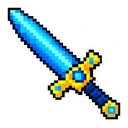
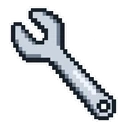
Part of the fun of the fan-made sprites is that most of these games were never 8-bit. Roblox Pixel Noob shrinks the Noob to a sprite and gives him a pixel Linked Sword on hover. Among Us Pixel is a lime crewmate with a pixel wrench. FNAF Pixel Freddy follows the look of that series' minigames, with a birthday cake over links. Pixel Droid Duo does the same to BB-8 and R2-D2. Sonic Pixel is the exception: a 16-bit sprite with a ring is how the character first appeared.
Adding an early-web trail behind a sprite
Old personal home pages were known for sparkle trails that chased the mouse. The packs themselves are still images, but the extension has optional trails and click effects you can switch on with any of them. A pixel sprite with a trail behind it gets close to that late-nineties look on a modern site. Try it with a small, bright pack such as Neon Spark Pixel or Azure Crystal Sprite so the trail does not bury the cursor, and switch it off again when you need to read.
Which Retro pack to pick
For a calm retro look in work tabs, Bone Pebble Pixel is muted bone-grey and Misty Puff Pixel is pastel. For colour, Lime Candy Cube and Aqua Donut Buddy are bright and simple in outline. Emerald Pixel Frog and Mossy Toadlet suit anyone who likes a creature following the mouse. Long-time console players will go straight to Sonic Pixel. Metro Splat Butterflies is high-contrast black with pastel wings, a fair pick if you swap between light and dark sites.
All 25 Retro packs
Each pack is a matched pair: one image for your normal pointer and one that takes over when you hover a link or button.
Show all 25 packs, described
- Roblox Pixel Noob and Pixel Linked Sword Cursor: an 8-bit Noob sprite for the pointer, a pixel Linked Sword on hover.
- Among Us Pixel and Pixel Wrench Cursor: an 8-bit lime crewmate for the pointer, a pixel wrench on hover.
- FNAF Pixel Freddy and Pixel Birthday Cake Cursor: an 8-bit Freddy minigame sprite for the pointer, a pixel birthday cake on hover.
- Sonic Pixel and Pixel Ring Cursor: a 16-bit Sonic sprite for the pointer, a pixel ring on hover.
- Cuphead and Peashooter Cursor: chibi Cuphead with his straw for the pointer, a finger-gun peashooter on hover.
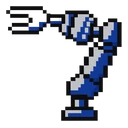
- Pixel Droid Duo Cursor: a pixel BB-8 droid in white and orange for the pointer, a blue and silver pixel droid arm on hover.
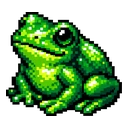
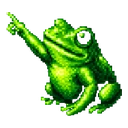
- Emerald Pixel Frog Cursor: a shiny emerald green pixel art frog for the pointer, the same pixel frog pointing with a webbed foot on hover.
- Metro Splat Butterflies Cursor: a glossy black ink blob dotted with pastel butterflies for the pointer, the same ink blob raising an arm to point on hover.
- Violet Pixel Shroom Cursor: a smiling pixel art mushroom with a violet cap for the pointer, the same mushroom pointing with a green leaf arm on hover.
- Verdant Rain Pixel Cursor: a pixel grass tuft with a blue raindrop for the pointer, the grass critter pointing with a leafy arm on hover.
- Neon Spark Pixel Cursor: a spiky electric blue pixel spark with a smile for the pointer, the same blue spark stretching an arm to point on hover.
- Saffron Mango Pixel Cursor: a smiling orange pixel art mango with a green leaf for the pointer, the same mango lifting a small arm to point on hover.
- Frosted Pond Pixel Cursor: a pixel art slab of pale cyan ice for the pointer, the same ice slab with a crystal spike pointing on hover.
- Blush Puff Marshmallow Cursor: a chubby pink pixel art marshmallow for the pointer, the pink marshmallow lifting an arm to point on hover.
- Frostpuff Pixel Pup Cursor: a fluffy white and blue pixel puppy for the pointer, the pixel puppy raising a paw to point on hover.
- Azure Crystal Sprite Cursor: a faceted blue pixel art crystal with a face for the pointer, the same blue crystal reaching out a thin arm on hover.
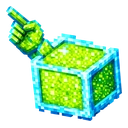
- Lime Candy Cube Cursor: a pixel art lime green candy cube with blue edges for the pointer, the same lime cube with a pixel hand pointing on hover.
- Aqua Donut Buddy Cursor: a smiling pixel art donut with cyan icing for the pointer, the same cyan donut raising a pointing hand on hover.
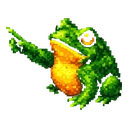
- Mossy Toadlet Cursor: a chubby green pixel art toad with an orange belly for the pointer, the same green toad stretching an arm to point on hover.
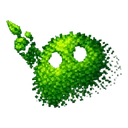
- Moss Pixel Sprite Cursor: a pixel art mossy green blob with a leafy sprout for the pointer, the same moss blob pointing with a leafy arm on hover.
- Azure Pixel Parakeet Cursor: a plump blue pixel art parakeet for the pointer, the same blue parakeet pointing with a wing on hover.
- Bone Pebble Pixel Cursor: a cream and grey pixel art pebble with a smile for the pointer, the same cream pebble raising a stubby arm on hover.
- Misty Puff Pixel Cursor: a pastel pink and yellow pixel art cloud puff for the pointer, the same pastel puff stretching out a stubby arm on hover.
- Invisible Blue Pixel Cursor: a smiling bright blue pixel square for the pointer, the blue pixel square pointing a small finger on hover.
- Puddle Pixel Newt Cursor: a winking rosy pink pixel art newt for the pointer, the same pink newt stretching an arm to point on hover.
How to add a Retro cursor to Chrome
Add Cursor Customiser, the free custom cursor extension, from the Chrome Web Store, then press “Use this pack” on any pack above. It applies straight away.
Related guide: Add a cursor trail. You can also add a cursor trail or make your own pair.
Where Retro cursors work
Retro cursors show on the web pages where old games and old computers get discussed: the Internet Archive, emulation and ROM-hack forums, speedrun leaderboards, retro game wikis, Neocities pages and YouTube longplays, in Chrome, Edge, Brave or Opera GX. They do not appear inside an emulator, a game client or console, on chrome:// pages, in the Chrome Web Store or across the desktop.
Frequently asked questions
Is there a Windows 95 or Windows XP style cursor here?
Not as a ready-made pack. This page is console and arcade retro: sprites, not old system pointers. To get an old Windows arrow or hourglass, upload your own image to the builder on the site and save it as a pair. It will show on web pages only.
Is there a retro Sonic cursor for Chrome?
Yes. Sonic Pixel is a fan-made 16-bit Sonic sprite with a pixel ring on hover. It is unofficial and not licensed. It shows on web pages in Chrome and other Chromium browsers, not inside any game or emulator.
Can I get an old-school cursor trail?
Yes. Trails and click effects are optional extras in the extension and work with any pack. The cursor itself stays a still image and the trail follows it. Pair one with a small sprite such as Neon Spark Pixel for an early-web feel.
What is the difference between the Retro and Pixel Art collections?
They overlap heavily. Pixel Art holds every blocky pack, including arrows and Minecraft blocks. Retro is a narrower pick of sprites, plus two packs that are old-school without being pixel art: Cuphead and Metro Splat Butterflies.
Fan-made and unofficial. Cursor Customiser is not affiliated with, endorsed by or sponsored by the rights holders. All names and characters belong to their respective owners. Rights holder with a concern? See copyright and takedown requests.