Sonic Cursors
Six fan-made Sonic cursor packs for Chrome: four chibi characters, a Chao and a 16-bit sprite.
6 Sonic cursor packs
All Gaming cursors








Hover a card to preview the cursor, then press “Use this pack” to add it.
About the Sonic cursor collection
Six fan-made Sonic cursor packs for Chrome: four chibi characters, a Chao and a 16-bit sprite. Sonic the Hedgehog gives a thumbs-up and swaps to a gold ring. Sonic Tails flies on his twin tails with a wrench on hover. Sonic Knuckles has his spiked fists up beside the Master Emerald. Shadow the Hedgehog stands with arms crossed over a Chaos Emerald. Sonic Chao is baby blue with a Chao Garden fruit, and Sonic Pixel pairs a Mega Drive style sprite with a pixel ring.
Rings, emeralds and a wrench: the Sonic cursor hover items
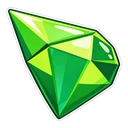
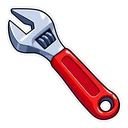
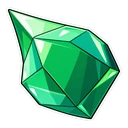
Each hover image belongs to its character. The gold ring is what Sonic collects and loses in every stage. Tails gets a wrench, a nod to the workshop where he builds and repairs his machines. Knuckles has the Master Emerald, the giant green gem he guards on Angel Island, so his pack goes from red to green and the swap is obvious. Shadow holds a Chaos Emerald, the source of his Chaos Control. The Chao gets a Chao Garden fruit, the snack you feed them to help them grow.
A Mega Drive sprite next to the modern cast
Sonic Pixel is the pack for nostalgia: a 16-bit sprite in the spirit of the Mega Drive games, with hard pixel edges and no smoothing, so it stays crisp when the cursor is small. The other five are smooth stickers. Colour decides where they work. Sonic's blue and gold are easy to see on white pages. Shadow is mostly black with red streaks, sharp on light pages but liable to fade on dark ones. Sonic Chao, drawn kawaii, is the gentlest of the six.
Which Sonic pack to pick
Sonic the Hedgehog is the natural starting point. Choose Sonic Tails if you want a hover item with a clear direction, since a wrench points well. Sonic Knuckles gives the most visible change between pointer and hover. Shadow the Hedgehog is for fans of the moodier hedgehog who browse on light pages. Sonic Pixel suits small cursor sizes and anyone raised on the 16-bit games, and Sonic Chao is the soft, cute option.
All 6 Sonic packs
Each pack is a matched pair: one image for your normal pointer and one that takes over when you hover a link or button.
- Sonic the Hedgehog and Spinning Gold Ring Cursor: chibi Sonic giving a thumbs-up for the pointer, a spinning gold ring on hover.
- Shadow the Hedgehog and Chaos Emerald Cursor: chibi Shadow with arms crossed for the pointer, a Chaos Emerald on hover.
- Sonic Tails and Wrench Cursor: chibi Tails flying on twin tails for the pointer, his wrench on hover.
- Sonic Chao and Chao Garden Fruit Cursor: a baby blue Chao for the pointer, a Chao Garden fruit on hover.
- Sonic Knuckles and Master Emerald Cursor: chibi Knuckles with spiked fists for the pointer, the Master Emerald on hover.
- Sonic Pixel and Pixel Ring Cursor: a 16-bit Sonic sprite for the pointer, a pixel ring on hover.
How to add a Sonic cursor to Chrome
Add Cursor Customiser, the free custom cursor extension, from the Chrome Web Store, then press “Use this pack” on any pack above. It applies straight away.
Related guide: Add a trail behind your cursor. You can also add a cursor trail or make your own pair.
Where Sonic cursors work
These are browser cursors. They show in Chrome on sonicthehedgehog.com, the Sonic wiki, speedrun.com leaderboards, fan-game pages and trailers on YouTube. They do not show inside Sonic games on PC, Switch, PlayStation or Xbox, in emulators, or in the Steam app, since none of those run inside the browser.
Frequently asked questions
Is there a classic 16-bit Sonic cursor?
Yes. Sonic Pixel is a 16-bit style sprite with a pixel ring on hover, drawn with hard pixel edges. The other Sonic packs are chibi stickers with smooth outlines.
Do the cursors work inside Sonic games?
No. Sonic games on PC and console are outside the browser, so the extension has no effect there. The cursors appear on websites you open in Chrome.
Is there a Shadow the Hedgehog cursor?
Yes. Shadow the Hedgehog stands with his arms crossed, and a Chaos Emerald appears when you hover a link. He is mostly black with red streaks, so the pack looks sharpest on light pages and can fade on dark ones.
Are these official Sonic cursors?
No. They are fan-made and unofficial. Cursor Customiser is not affiliated with or endorsed by SEGA. They are free, with no ads inside the extension and no account.
Fan-made and unofficial. Cursor Customiser is not affiliated with, endorsed by or sponsored by SEGA. All names and characters belong to their respective owners. Rights holder with a concern? See copyright and takedown requests.