Geometry Dash Cursors
Five flat, high-contrast packs make up this fan-made Geometry Dash cursor set for Chrome.
5 Geometry Dash cursor packs
All Gaming cursors





Hover a card to preview the cursor, then press “Use this pack” to add it.
About the Geometry Dash cursor collection
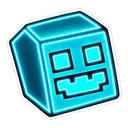
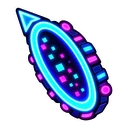
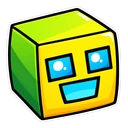
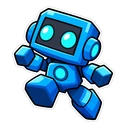
Five flat, high-contrast packs make up this fan-made Geometry Dash cursor set for Chrome. Geometry Dash Cube is the classic yellow-green cube, with a yellow jump orb on hover. Geometry Dash Ship shows the ship in flight and a secret coin. Geometry Dash Robot is caught mid-jump and paired with a spike. Geometry Dash Demon uses the Demon difficulty face with a diamond. Geometry Dash Neon sets a neon cyan cube against a portal. It is made for players who live on level lists and showcase videos.
Three game modes and the things you hit
The set covers three of the game's forms: the cube that jumps, the ship that flies and the robot whose jump height depends on how long you hold. Each hover pointer is something from a level. A yellow orb gives a mid-air jump when you tap on it. Secret coins hide in the awkward corners, three to an official level. The spike needs no explanation. The portal in the neon pack is the gate that switches form or gravity part-way through.
Which Geometry Dash cursor suits a demon list
Many places players read about the game are dark: demon lists, level browsers, video pages with the dark theme on. Geometry Dash Neon is drawn as a neon sticker with a soft glow, so it is the natural choice there. The cube pack is the plain option for white pages such as a wiki. Geometry Dash Demon is the trophy pick, the face that marks the hardest rated levels, with a diamond on hover like the ones you collect as rewards.
Which Geometry Dash pack to pick
Geometry Dash Cube is the cleanest and the one to use small, because a square stays a square at any size. A spike is already a triangle, so Geometry Dash Robot has the most pointer-like hover of the five. Geometry Dash Ship suits players who prefer flying sections. Put on Geometry Dash Demon after a hard completion. Choose Geometry Dash Neon for dark pages. Go a size up for the ship and robot if the outline looks muddy.
All 5 Geometry Dash packs
Each pack is a matched pair: one image for your normal pointer and one that takes over when you hover a link or button.
- Geometry Dash Ship and Secret Coin Cursor: the ship icon in flight for the pointer, a secret coin on hover.
- Geometry Dash Neon and Neon Portal Cursor: the cube glowing neon cyan for the pointer, a neon portal on hover.
- Geometry Dash Cube and Yellow Jump Orb Cursor: the classic yellow-green cube for the pointer, a yellow jump orb on hover.
- Geometry Dash Robot and Spike Cursor: the robot icon mid-jump for the pointer, a spike on hover.
- Geometry Dash Demon and Diamond Cursor: the Demon difficulty face for the pointer, a diamond on hover.
How to add a Geometry Dash cursor to Chrome
Add Cursor Customiser, the free custom cursor extension, from the Chrome Web Store, then press “Use this pack” on any pack above. It applies straight away.
Related guide: Build a cursor from your own image. You can also add a cursor trail or make your own pair.
Where Geometry Dash cursors work
The cursor shows in Chrome on the Pointercrate demon list, GDBrowser, the Geometry Dash wiki, forums and YouTube showcases. It does not show inside Geometry Dash, whether you run it through Steam on a computer or as an app on a phone or tablet. Your icon kit and attempt count are not touched.
Frequently asked questions
Can I use my own Geometry Dash icon and colours as a cursor?
Not with these packs, which use fixed artwork. You can take a screenshot of your icon, crop it, and upload it in the builder to make your own cursor and hover pair.
Is there a wave, ball or UFO cursor for Geometry Dash?
Not yet. The set covers the cube, the ship and the robot, plus the Demon face and a neon cube. For another form, upload a cropped image of your own icon in the builder.
Does the Geometry Dash cursor work in the Steam version?
No. The Steam version is a desktop program, and the extension only changes the cursor on web pages in Chrome and other Chromium browsers. It shows on level lists, wikis and video sites, not in the game or the level editor.
Are these official Geometry Dash cursors?
No. They are fan-made and unofficial. Cursor Customiser is not affiliated with or endorsed by RobTop Games. They are free, with no ads inside the extension and no account.
Fan-made and unofficial. Cursor Customiser is not affiliated with, endorsed by or sponsored by RobTop Games. All names and characters belong to their respective owners. Rights holder with a concern? See copyright and takedown requests.