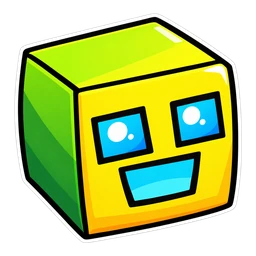

Move your mouse here to try the cursor. Point at the right-hand image to see the hover pointer.
Open this page on a computer to try the cursor live.
Geometry Dash Cube and Yellow Jump Orb Cursor
The classic yellow-green cube, the icon players picture when they think of Geometry Dash. Hover over a link and it turns into a yellow jump orb. Square, flat and high contrast, so it should stay crisp at small cursor sizes.
- Free, with no ads inside the extension and no account
- Works in Chrome, Edge, Opera GX, Brave and on Chromebook
- Resize it any time in the extension popup
The cube and the yellow orb
The cube is the form every Geometry Dash level starts in unless a portal says otherwise: it slides, you tap, it jumps. The yellow-green default is the icon you play Stereo Madness with, before unlocking any of the hundreds of alternatives. A yellow jump orb gives one extra jump if you tap while touching it. As a hover image it marks the things on a page you can click, which is close to its job in a level.
Geometry Dash Cube on the demon list
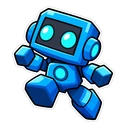
A square with a flat face has no thin lines to lose, so this cursor stays crisp at the lowest size. That suits long, dense pages such as the Pointercrate list or a level browser. Yellow-green and yellow are close in colour, so watch for the change of shape on hover, square to round. Geometry Dash Robot is the one to try next: its hover pointer is a spike, the sharpest shape in the set.
How to use this cursor
Add Cursor Customiser, the free custom cursor extension for Chrome, then press “Use this pack” above. The pair applies straight away on every normal website. You can change the size in the extension popup and switch back to your usual pointer at any time.
More Geometry Dash cursors
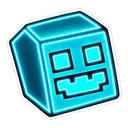
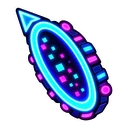
All Geometry Dash packs

Geometry Dash Cube cursor questions
Can I use my own icon colours on the Geometry Dash cube cursor?
No. The pack shows the classic yellow-green cube only. It is not linked to your account or icon kit, so colours and icons you unlocked in the game do not transfer.
Does the cube cursor jump or rotate like in the game?
No. The cube is a still image, and so is the yellow jump orb that replaces it on hover. Optional trails and click effects in the extension can add some motion if you want it.
Fan-made and unofficial. Cursor Customiser is not affiliated with, endorsed by or sponsored by RobTop Games. All names and characters belong to their respective owners. Report this pack.