Black Custom Cursors
A small set of black cursor packs, all fan-made characters known for the colour: Minecraft Enderman, Shadow the Hedgehog, Itachi Uchiha and Yor Forger, each with a hover pointer.
4 Black cursor packs
Search all packs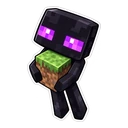



Hover a card to preview the cursor, then press “Use this pack” to add it.
About the Black cursor collection
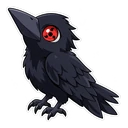
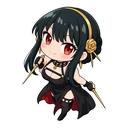
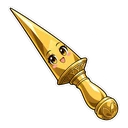
People searching for a black cursor usually want one of two things: a plain dark pointer, or a dark-themed character. This small collection covers the second. Every pack is fan-made and none is official or licensed. Minecraft Enderman holds a grass block and swaps to an Ender Pearl. Shadow the Hedgehog stands with arms crossed, with a Chaos Emerald on hover. Itachi Uchiha wears his Akatsuki cloak and is paired with a black crow. Yor Forger is in her black dress, with a golden stiletto over links. There is no plain black arrow in the set at present. It suits fans of those characters and anyone building a dark browser look.
If you wanted a plain black arrow
A simple black pointer, perhaps larger or with a white edge, is a common need, especially for people who find the default cursor hard to see. These character packs do not provide that. Two things help instead. The size slider in the extension popup works with every pack. And the site's builder lets you upload your own image, so a plain black arrow or dot can become your normal pointer, with a second version in another colour for links.
Dark characters and the sites that suit them
A dark cursor and a dark website work against each other. If most of your browsing is in dark mode, consider one of these characters only if you are happy to run it at a larger size, or choose a brighter pack from the same series in the Anime or Gaming collections. On light sites, such as most document editors, shops and news pages, the reverse applies: Minecraft Enderman, Shadow the Hedgehog, Itachi Uchiha and Yor Forger stand out more sharply than a pastel pack would.
Which Black pack to pick
Black artwork reads most clearly on light pages, so all four are clear on white and pale backgrounds. Dark mode is the difficulty. The hover images matter there: Yor Forger's golden stiletto is bright against a dark page, while Itachi Uchiha's black crow is not. Minecraft Enderman is the most uniformly dark figure and the likeliest to get lost. Increasing the size is the simplest fix.
All 4 Black packs
Each pack is a matched pair: one image for your normal pointer and one that takes over when you hover a link or button.
- Minecraft Enderman and Ender Pearl Cursor: a chibi Enderman holding a grass block for the pointer, an Ender Pearl on hover.
- Shadow the Hedgehog and Chaos Emerald Cursor: chibi Shadow with arms crossed for the pointer, a Chaos Emerald on hover.
- Itachi Uchiha and Black Crow Cursor: chibi Itachi in his Akatsuki cloak for the pointer, a black crow on hover.
- Yor Forger and Golden Stiletto Cursor: chibi Yor in her black dress for the pointer, a golden stiletto on hover.
How to add a Black cursor to Chrome
Add Cursor Customiser, the free custom cursor extension, from the Chrome Web Store, then press “Use this pack” on any pack above. It applies straight away.
Related guide: Custom cursors on Windows 11. You can also add a cursor trail or make your own pair.
Where Black cursors work
Black cursors are clearest on light web pages in Chrome, Edge, Brave and Opera GX: Google Docs, news sites, shops and wikis. On dark-mode sites such as Discord or YouTube in a tab they are harder to follow. They do not replace the Windows or Mac system pointer, and do not show in desktop apps, games, chrome:// pages or the Chrome Web Store.
Frequently asked questions
Is there a plain black cursor with no character?
Not in this collection at the moment. Every pack here is a fan-made character. To get a plain black pointer, use the build-your-own tool on the site and upload a black arrow or shape. You can then set its size in the extension popup like any other cursor.
Can I see a black cursor on a dark mode website?
It can be difficult. Raising the size in the popup helps. If you use dark mode nearly all the time, a lighter or more colourful pack is the practical choice, with a black one kept for sites that have a white background.
Is there an Enderman or Shadow the Hedgehog cursor?
Yes, both as fan-made packs. Minecraft Enderman is a chibi Enderman holding a grass block, with an Ender Pearl on hover. Shadow the Hedgehog has his arms crossed and swaps to a Chaos Emerald. Neither is official or licensed by the companies that own those characters.
Can I make my normal Chrome cursor black and bigger?
Not with a ready-made pack here, since these are characters. Upload a black arrow image to the site's builder, save it as a pair, then use the size slider in the popup. That changes the pointer on web pages only. To change it across Windows, use the pointer settings in the operating system.
Fan-made and unofficial. Cursor Customiser is not affiliated with, endorsed by or sponsored by the rights holders. All names and characters belong to their respective owners. Rights holder with a concern? See copyright and takedown requests.