Fall Guys Cursors
Four round, bright packs make up this fan-made Fall Guys cursor set for Chrome.
4 Fall Guys cursor packs
All Gaming cursors



Hover a card to preview the cursor, then press “Use this pack” to add it.
About the Fall Guys cursor collection
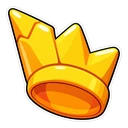
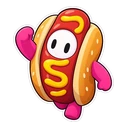
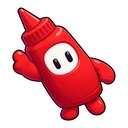
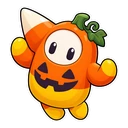
Four round, bright packs make up this fan-made Fall Guys cursor set for Chrome. Fall Guys Bean is the classic pink jelly bean, with the winner's Crown as its hover pointer. Fall Guys Hot Dog squeezes a bean into the hot-dog costume and adds a ketchup bottle. Fall Guys Kudos has no bean at all: a shiny Kudos coin that turns into a Show-Bucks coin over links. Fall Guys Halloween dresses a bean as a ghost and pairs it with a candy pumpkin.
Why a Fall Guys cursor works at small sizes
A bean is close to the simplest character there is: a rounded body, two eyes and stubby limbs. That helps at cursor scale, where thin outlines and small faces turn to mush. The coin pack goes further, since a coin is a plain disc. If you have tried character cursors before and found them hard to follow, this set is a fair place to try again. Start small, then nudge the slider up until the costume is clear.
The Crown, the coins and the costume
Each pair tells a small story from the show. The pink bean chases the Crown, the prize for winning the final round, and you get to grab it every time you hover a link. Kudos and Show-Bucks are the game's two currencies, shown side by side. The hot dog is one of the game's familiar outfits, so the ketchup bottle follows naturally. The ghost and candy pumpkin are a Halloween pair, friendly enough for young players.
Which Fall Guys pack to pick
Start with Fall Guys Bean if you want the character everyone pictures. Choose Fall Guys Kudos if you keep your cursor tiny or prefer an object to a face. Fall Guys Hot Dog is the joke pick, good for a shared family computer. Fall Guys Halloween is the one for October, though nothing stops you using it all year. Try the ghost on a white page first and go a size up if it looks faint.
All 4 Fall Guys packs
Each pack is a matched pair: one image for your normal pointer and one that takes over when you hover a link or button.
- Fall Guys Bean and Winner’s Crown Cursor: a classic pink jelly-bean Fall Guy for the pointer, the winner’s Crown on hover.
- Fall Guys Hot Dog and Ketchup Bottle Cursor: a Fall Guy in a hot-dog costume for the pointer, a ketchup bottle on hover.
- Fall Guys Halloween and Candy Pumpkin Cursor: a bean in a ghost costume for the pointer, a candy pumpkin on hover.
- Fall Guys Kudos and Show-Bucks Coin Cursor: a shiny Kudos coin for the pointer, a Show-Bucks coin on hover.
How to add a Fall Guys cursor to Chrome
Add Cursor Customiser, the free custom cursor extension, from the Chrome Web Store, then press “Use this pack” on any pack above. It applies straight away.
Related guide: Custom cursors on a Chromebook. You can also add a cursor trail or make your own pair.
Where Fall Guys cursors work
The cursors show in Chrome on the Fall Guys site, the wiki, lists of Creative level share codes, YouTube and Twitch. They do not show in the game, in the Epic Games Launcher, or on Switch, PlayStation or Xbox. Your costumes, Kudos and Show-Bucks are untouched, because the extension has no link to your Epic account.
Frequently asked questions
In the Bean pack, is the Crown the cursor or the hover pointer?
The pink bean is the normal cursor. The Crown appears when you hover over a link or button, so you get to grab it every time you click through to a new page.
Is the Fall Guys Halloween cursor only available in October?
No. It is a seasonal design, a bean in a ghost costume with a candy pumpkin on hover, but it stays in the collection and you can apply it at any time of year.
Are the Fall Guys cursors suitable for young children?
The art is gentle: chibi beans, coins and a ghost costume that is playful, not scary. The extension has no ads inside it and needs no account. On a school Chromebook it can only be added if the administrator allows extensions.
Are these official Fall Guys cursors?
No. They are fan-made and unofficial. Cursor Customiser is not affiliated with or endorsed by Epic Games. They are free, with no ads inside the extension and no account.
Fan-made and unofficial. Cursor Customiser is not affiliated with, endorsed by or sponsored by Epic Games. All names and characters belong to their respective owners. Rights holder with a concern? See copyright and takedown requests.