
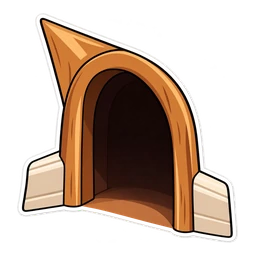
Move your mouse here to try the cursor. Point at the right-hand image to see the hover pointer.
Open this page on a computer to try the cursor live.
Jerry Mouse and Mouse Hole Cursor
Jerry with the cheeky grin of a mouse who knows he will win. His hover pointer is a mouse hole, the arched escape route in the skirting board. A small brown chibi sticker, fan-made; turn the size up a little so he is easy to follow.
- Free, with no ads inside the extension and no account
- Works in Chrome, Edge, Opera GX, Brave and on Chromebook
- Resize it any time in the extension popup
Jerry Mouse and the hole in the skirting board
Jerry is the small brown mouse who lives behind the wall and treats the house as his own. He is quicker and cleverer than the cat, and usually only wants cheese and a nap. Nearly every chase ends the same way: Jerry dives through the little arched hole at the bottom of the wall and Tom hits the plaster. This chibi drawing gives him his cheeky grin. The hover image is that mouse hole, his front door and his escape route.
Small mouse, so turn him up
Jerry is small and brown, a modest presence on screen by design. Raise the slider a little so you can follow him, especially on dark pages where brown has less to push against. The mouse hole is an arch, a plain shape quite unlike the character, so the hover state is obvious. It is a neat joke of a cursor, a mouse for your mouse. For the rest of the kitchen, try Tom and Jerry Cheese, a holey wedge with a mousetrap.
How to use this cursor
Add Cursor Customiser, the free custom cursor extension for Chrome, then press “Use this pack” above. The pair applies straight away on every normal website. You can change the size in the extension popup and switch back to your usual pointer at any time.
More Tom and Jerry cursors
All Tom and Jerry packs




Jerry Mouse cursor questions
Is the Jerry cursor too small to see?
At the default size he is small, as you would expect from a mouse. Open the extension popup and drag the size slider up until he is comfortable to follow. The change applies straight away on every tab.
What does the Jerry cursor do when I hover a link?
It changes to a mouse hole, the arched opening Jerry escapes through in the cartoons. Move off the link and chibi Jerry comes back. It is a simple image swap; nothing is animated.
Fan-made and unofficial. Cursor Customiser is not affiliated with, endorsed by or sponsored by Warner Bros.. All names and characters belong to their respective owners. Report this pack.