Brawl Stars Cursors
Three Brawlers and a reward drop make up this fan-made Brawl Stars cursor set for Chrome.
4 Brawl Stars cursor packs
All Gaming cursors





Hover a card to preview the cursor, then press “Use this pack” to add it.
About the Brawl Stars cursor collection
Three Brawlers and a reward drop make up this fan-made Brawl Stars cursor set for Chrome. Brawl Stars Spike is the cactus, with a cactus flower as his hover pointer. Brawl Stars Leon wears his green hood and swaps to a smoke bomb. Brawl Stars El Primo flexes on the normal cursor and hands over to a wrestling belt. Brawl Stars Starr Drop trades characters for loot: a glowing Starr Drop with a green gem on hover. It is a small set, four packs in chibi sticker style.
Why Spike, Leon and El Primo
The three Brawlers cover three ways of playing. Spike is the silent cactus who throws spiked grenades and never says a word. Leon is the assassin who vanishes: his Super, Smoke Bomb, turns him invisible for a few seconds, which is why it is his hover item. El Primo is the luchador who jumps into a fight fists first, so he gets a champion's belt. Spike and Leon are both Legendary Brawlers, the rarity players wait longest to unlock.
The Starr Drop: a Brawl Stars cursor without a Brawler
Not everyone wants a face on their pointer. The Starr Drop is the reward you tap open hoping for a rare result, and here it glows as the normal cursor. A green gem, the game's premium currency, takes over on hover. Both are compact objects, so this pack copes with the smallest sizes and stays out of the way on a crowded stats page. It is also the neutral pick when friends cannot agree on a main.
Which Brawl Stars pack to pick
Brawl Stars Spike is the clearest when small: a round cactus with a simple face. Brawl Stars Starr Drop is the item choice, good for tier-list pages full of small buttons. Brawl Stars El Primo is a broad, muscular pose that needs medium size or more. Brawl Stars Leon sits between the two and suits players who like stealth. Go one size up on a large monitor.
All 4 Brawl Stars packs
Each pack is a matched pair: one image for your normal pointer and one that takes over when you hover a link or button.
- Brawl Stars Starr Drop and Green Gem Cursor: a glowing Starr Drop for the pointer, a green gem on hover.
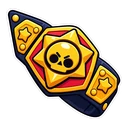
- Brawl Stars El Primo and Wrestling Belt Cursor: El Primo flexing for the pointer, a wrestling belt on hover.
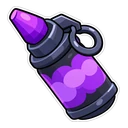
- Brawl Stars Leon and Smoke Bomb Cursor: Leon in his green hood for the pointer, a smoke bomb on hover.
- Brawl Stars Spike and Cactus Flower Cursor: chibi Spike the cactus for the pointer, a cactus flower on hover.
How to add a Brawl Stars cursor to Chrome
Add Cursor Customiser, the free custom cursor extension, from the Chrome Web Store, then press “Use this pack” on any pack above. It applies straight away.
Related guide: How to change your cursor in Chrome. You can also add a cursor trail or make your own pair.
Where Brawl Stars cursors work
Brawl Stars is a mobile game, and these packs have no effect in the app on your phone or tablet. They change your mouse cursor in Chrome on a computer: the Brawl Stars site, the Supercell Store in a browser tab, Brawlify and other stat pages, wikis and esports streams. Nothing is linked to your Supercell ID.
Frequently asked questions
Why is Leon's hover pointer a smoke bomb?
Smoke Bomb is the name of Leon's Super, the ability that turns him invisible for a few seconds. The pack uses it as the item you see when hovering links and buttons.
Does applying the Starr Drop cursor give me anything in Brawl Stars?
No. The Starr Drop and gem are only pictures used as a cursor. The extension has no connection to your game account or Supercell ID and adds nothing to it.
Is there a cursor for Mortis, Crow or other Brawlers?
Not yet. The set has Spike, Leon and El Primo, plus the Starr Drop. For another Brawler you can upload your own image in the builder and choose a second image for hover.
Are these official Brawl Stars cursors?
No. They are fan-made and unofficial. Cursor Customiser is not affiliated with or endorsed by Supercell. They are free, with no ads inside the extension and no account.
Fan-made and unofficial. Cursor Customiser is not affiliated with, endorsed by or sponsored by Supercell. All names and characters belong to their respective owners. Rights holder with a concern? See copyright and takedown requests.