Shrek Cursors
This Shrek cursor set hands the pointer to the sidekicks: three fan-made chibi stickers, and no ogre yet.
3 Shrek cursor packs
All Movies & TV cursors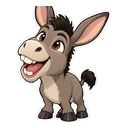
Hover a card to preview the cursor, then press “Use this pack” to add it.
About the Shrek cursor collection
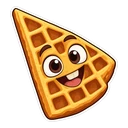
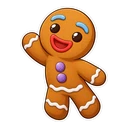
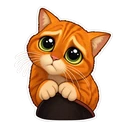
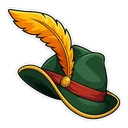
This Shrek cursor set hands the pointer to the sidekicks: three fan-made chibi stickers, and no ogre yet. Shrek Donkey is caught mid-chatter and swaps to a waffle when you hover a link. Puss in Boots gives you the big pleading eyes, with his feathered hat as the hover image. Gingy the gingerbread man comes with a gumdrop button. It is a small set, and each pack is free.
Why the Shrek sidekicks came first
Ask anyone to quote the films and they will usually do Donkey. He talks through the whole of the first film, and his promise to make waffles in the morning is where his hover image comes from. Puss arrives in the second film as a hired sword and wins arguments by taking off his hat and widening his eyes. Gingy is the gingerbread man who defies Lord Farquaad from a baking tray and is fiercely protective of his gumdrop buttons.
A waffle, a feathered hat and a gumdrop button
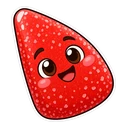
The three hover images are small props, which is what a pointer needs. The gumdrop button is the simplest, a single sweet. The feathered hat is the one Puss holds to his chest before the eyes come out, so the pair plays the scene in two steps: eyes on the page, hat on the link. Donkey's waffle is the friendliest of the three. None of the packs relies on text or a catchphrase, so they read the same in any language.
Which Shrek pack to pick
Gingy is a simple shape in biscuit brown and stays readable at the smallest cursor sizes, on white pages or dark ones. Puss in Boots depends on those eyes, so set him to medium or large on the slider. His warm orange fur should be the easiest of the three to find on dark sites. Shrek Donkey is grey and looks best on light pages. Gingy also suits December, when the gingerbread comes out.
All 3 Shrek packs
Each pack is a matched pair: one image for your normal pointer and one that takes over when you hover a link or button.
- Shrek Donkey and Waffle Cursor: chibi Donkey mid-chatter for the pointer, a waffle on hover.
- Gingy and Gumdrop Button Cursor: Gingy the gingerbread man for the pointer, a gumdrop button on hover.
- Puss in Boots and Feathered Hat Cursor: Puss with big pleading eyes for the pointer, his feathered hat on hover.
How to add a Shrek cursor to Chrome
Add Cursor Customiser, the free custom cursor extension, from the Chrome Web Store, then press “Use this pack” on any pack above. It applies straight away.
Related guide: Upload your own image in the builder. You can also add a cursor trail or make your own pair.
Where Shrek cursors work
It shows on web pages in Chrome: the Shrek wiki on Fandom, the DreamWorks site, YouTube clips, Reddit meme threads and the films on a streaming site in a browser tab. It does not show in a streaming app on a TV or tablet, in Shrek games on a console, or in any program outside the browser.
Frequently asked questions
Where is Shrek himself?
He is not in this set at the moment; the three packs are Shrek Donkey, Puss in Boots and Gingy. If you want the ogre as your pointer, upload your own image in the builder.
Why does Donkey come with a waffle?
Because of his promise in the first film, just after talking his way into staying at the swamp, to make waffles in the morning. The waffle appears whenever the cursor is over a link or button.
Is the Puss in Boots cursor from Shrek or from his own films?
It is the same character either way. The pack shows Puss with the big pleading eyes he first uses in Shrek 2, and his feathered hat as the hover image, so it fits fans of both series.
Are these official Shrek cursors?
No. They are fan-made and unofficial. Cursor Customiser is not affiliated with or endorsed by DreamWorks Animation. They are free, with no ads inside the extension and no account.
Fan-made and unofficial. Cursor Customiser is not affiliated with, endorsed by or sponsored by DreamWorks Animation. All names and characters belong to their respective owners. Rights holder with a concern? See copyright and takedown requests.