Barbie Cursors
This Barbie cursor set is five fan-made packs and a great deal of pink.
5 Barbie cursor packs
All Movies & TV cursors

Hover a card to preview the cursor, then press “Use this pack” to add it.
About the Barbie cursor collection
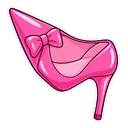
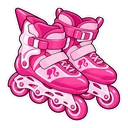
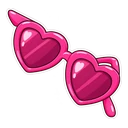
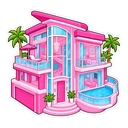
This Barbie cursor set is five fan-made packs and a great deal of pink. The pack named Barbie shows her dressed in pink, with a pink high heel on hover. Barbie Ken has a beach smile and a pair of rollerblades. Barbie Dreamhouse pairs the house with a heart key, and Barbie Convertible swaps the car for heart sunglasses. Barbie Neon is the odd one out: a glowing neon-pink script sign and a neon heart instead of a chibi sticker.
The doll, the boyfriend, the house and the car
The set is laid out like a toy shelf. Barbie has been sold since 1959, and the Dreamhouse and the pink convertible have been among her best-known accessories for decades, so each gets a pack of its own. The house comes with a heart key and the car with heart sunglasses, the things you would pick up on the way out. Ken's rollerblades point to the 2023 film, where he and Barbie skate into Venice Beach.
Which Barbie pack to use on dark and light pages
Barbie Neon is drawn as a glowing sign with vivid tube colours, and it is the pack best suited to dark-mode browsing, where the glow has a dark page behind it. On white pages choose a sticker pack. Barbie Convertible is solid pink and easy to see on white and dark pages alike. Barbie Dreamhouse is an unusual shape for a cursor, which makes it easy to find on a busy shopping or Pinterest page. The two character packs carry the most detail.
Which Barbie pack to pick
For a matching pink setup, start with the Barbie pack at medium or large so the detail shows. Barbie Ken is for anyone who thinks he deserves a turn as the main character. Barbie Convertible and Barbie Dreamhouse are objects, so they stay recognisable when small. Barbie Neon is the dark-mode pick. Three of the hover images are heart-themed, so choose on the main cursor, not the hover.
All 5 Barbie packs
Each pack is a matched pair: one image for your normal pointer and one that takes over when you hover a link or button.
- Barbie and Pink High Heel Cursor: chibi Barbie in pink for the pointer, a pink high heel on hover.
- Barbie Ken and Rollerblades Cursor: chibi Ken with a beach smile for the pointer, a pair of rollerblades on hover.
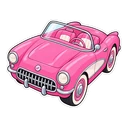
- Barbie Convertible and Heart Sunglasses Cursor: the pink convertible for the pointer, heart sunglasses on hover.
- Barbie Dreamhouse and Heart Key Cursor: the pink Dreamhouse for the pointer, a heart key on hover.
- Barbie Neon and Neon Heart Cursor: the Barbie script glowing neon pink for the pointer, a neon heart on hover.
How to add a Barbie cursor to Chrome
Add Cursor Customiser, the free custom cursor extension, from the Chrome Web Store, then press “Use this pack” on any pack above. It applies straight away.
Related guide: Add a trail behind your cursor. You can also add a cursor trail or make your own pair.
Where Barbie cursors work
It shows on web pages in Chrome: Mattel's Barbie site and shop, Pinterest boards, YouTube, doll collector forums and the 2023 film on a streaming site in a browser tab. It does not show in Barbie Dreamhouse Adventures on a phone or tablet, in a streaming app on a TV, or in any program outside the browser.
Frequently asked questions
Why does Ken come with rollerblades?
It is a nod to the rollerblading scene in the 2023 Barbie film, where Barbie and Ken skate along Venice Beach in neon outfits. The rollerblades appear whenever the cursor is over a link or button.
What makes the Barbie Neon pack different?
It is drawn as a glowing neon sign and a neon heart, not as a chibi sticker like the other four packs. The vivid tube colours suit dark-mode sites best; on white pages a sticker pack is clearer.
Is there a pink cursor without a character on it?
Yes. Barbie Convertible, Barbie Dreamhouse and Barbie Neon show a car, a house and a sign, with no doll in the picture. Barbie Convertible is solid pink and reads well on white and dark pages alike.
Are these official Barbie cursors?
No. They are fan-made and unofficial. Cursor Customiser is not affiliated with or endorsed by Mattel. They are free, with no ads inside the extension and no account.
Fan-made and unofficial. Cursor Customiser is not affiliated with, endorsed by or sponsored by Mattel. All names and characters belong to their respective owners. Rights holder with a concern? See copyright and takedown requests.