Toca Boca Cursors
Five soft, friendly packs make up this fan-made Toca Boca cursor set for Chrome.
5 Toca Boca cursor packs
All Gaming cursors





Hover a card to preview the cursor, then press “Use this pack” to add it.
About the Toca Boca cursor collection
Five soft, friendly packs make up this fan-made Toca Boca cursor set for Chrome. Toca Boca Avatar is a Toca-style kid with pink hair, with a smoothie cup on hover. Toca Boca Bunny is a fluffy pet bunny with a carrot. Toca Boca House pairs a pastel house with a house key. Toca Hair Salon is objects only: a pink hairdryer that becomes a hairbrush over links. Toca Boca Christmas has a kid in a reindeer hat and a gingerbread cookie.
Each Toca Boca cursor matches a way of playing
Toca games have no score and no winner, so the packs follow what players actually do. Decorators get the house and its key. Character makers get the pink-haired kid, with a smoothie cup to carry around. Pet collectors get the bunny and a carrot. The hairdryer and brush come from Toca Hair Salon, the styling games that were on tablets years before Toca Boca World. Choose the pack that matches how you spend your time there.
A gentle set for a shared family computer
Nothing here is sharp, dark or scary, which makes the set a comfortable choice for a child's browser profile. The art is chibi and kawaii stickers, and the bunny is drawn with sparkly eyes and rosy cheeks. The extension shows no ads inside it and asks for no account, so there is nothing for a child to sign up to. On a school Chromebook, it can be added only if the administrator allows extensions from the Web Store.
Which Toca Boca pack to pick
Toca Hair Salon and Toca Boca House are single objects, so they stay clear when the cursor is small. Toca Boca Bunny is the cute pick and looks right at medium size. Toca Boca Avatar suits players who love the character creator. Put Toca Boca Christmas on in December, or keep the reindeer hat all year. For a younger child still learning to aim a mouse, go one size up on the slider whichever pack you choose.
All 5 Toca Boca packs
Each pack is a matched pair: one image for your normal pointer and one that takes over when you hover a link or button.
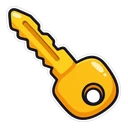
- Toca Boca House and House Key Cursor: a pastel Toca house for the pointer, a house key on hover.
- Toca Boca Bunny and Carrot Cursor: a fluffy Toca pet bunny for the pointer, a carrot on hover.
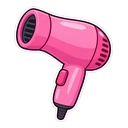
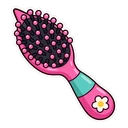
- Toca Hair Salon and Hairbrush Cursor: a pink hairdryer for the pointer, a hairbrush on hover.
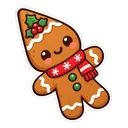
- Toca Boca Christmas and Gingerbread Cookie Cursor: a Toca kid in a reindeer hat for the pointer, a gingerbread cookie on hover.
- Toca Boca Avatar and Smoothie Cup Cursor: a Toca kid with pink hair for the pointer, a smoothie cup on hover.
How to add a Toca Boca cursor to Chrome
Add Cursor Customiser, the free custom cursor extension, from the Chrome Web Store, then press “Use this pack” on any pack above. It applies straight away.
Related guide: Custom cursors on a Chromebook. You can also add a cursor trail or make your own pair.
Where Toca Boca cursors work
Toca Boca World and the Toca Hair Salon games are apps, played mostly on phones and tablets, and nothing here changes them. The packs change the cursor in Chrome on a computer or Chromebook: the Toca Boca website, fan wikis, YouTube videos of house tours and every other normal page.
Frequently asked questions
Can I use these cursors inside Toca Boca World?
No. Toca Boca World is an app with its own touch controls. The packs only change the mouse cursor on websites opened in Chrome on a computer or Chromebook.
Is the pink-haired kid a named Toca Boca character?
No. The artwork is a Toca-style kid with pink hair, in the spirit of the characters players design for themselves. It is fan-made and is not meant to be a specific named character.
Can I get a Toca Boca cursor on a school Chromebook?
Only if your school allows it. School Chromebooks are managed, and if the administrator has blocked the Chrome Web Store or extensions, the cursor cannot be added. On a personal Chromebook or home computer it adds like any other extension.
Are these official Toca Boca cursors?
No. They are fan-made and unofficial. Cursor Customiser is not affiliated with or endorsed by Toca Boca. They are free, with no ads inside the extension and no account.
Fan-made and unofficial. Cursor Customiser is not affiliated with, endorsed by or sponsored by Toca Boca. All names and characters belong to their respective owners. Rights holder with a concern? See copyright and takedown requests.