Bluey Cursors
This Bluey cursor set puts the whole Heeler family on your pointer in five fan-made chibi stickers.
5 Bluey cursor packs
All Cartoons cursors








Hover a card to preview the cursor, then press “Use this pack” to add it.
About the Bluey cursor collection
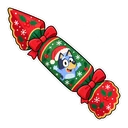
This Bluey cursor set puts the whole Heeler family on your pointer in five fan-made chibi stickers. The pack named Bluey shows her wagging her tail, with a Keepy Uppy balloon on hover. Bluey Bingo is paired with Floppy the bunny, Bluey Bandit with a backyard ball and Bluey Chilli with a cup of tea. Bluey Christmas shows Bluey in a Christmas hat with a Christmas cracker. Bold outlines keep them clear for children, and Mum and Dad get a pack each too.
A game or a comfort for every Heeler
The show is about play, so most hover images are things the family plays with. Keepy Uppy is the game where a balloon must never touch the ground. Floppy is the stuffed bunny Bingo is most attached to. Bandit's backyard ball is ready for the next round with the dad who never says no to a game. Chilli gets a cup of tea, which any parent watching will understand. The Christmas cracker fits the Heelers' summer Christmas in Brisbane.
Putting a Bluey cursor on a family or classroom computer
For a small child, open the popup and slide the size up so the cursor is easy to track. The change from Bluey to the balloon shows a child when they are over something they can click, which helps while they are still learning to aim a mouse or trackpad. Nothing in the extension shows ads or asks for an account. On a school Chromebook it can only be added if the administrator allows extensions, so teachers should check with whoever manages the devices.
Which Bluey pack to pick
The Bluey pack is blue with bold outlines and makes a good first cursor for little fans. Bluey Bingo is red-orange and shows up well on dark pages and light ones, so give it to the younger sibling. Bluey Bandit, in blues, is comfortable at medium size, and Bluey Chilli in warm orange is for the parent with the show on most mornings. Save Bluey Christmas for December on the family computer.
All 5 Bluey packs
Each pack is a matched pair: one image for your normal pointer and one that takes over when you hover a link or button.
- Bluey and Keepy Uppy Balloon Cursor: chibi Bluey wagging her tail for the pointer, a Keepy Uppy balloon on hover.
- Bluey Bingo and Floppy Cursor: chibi Bingo for the pointer, Floppy the bunny on hover.
- Bluey Bandit and Backyard Ball Cursor: chibi Bandit (Dad) for the pointer, a backyard ball on hover.
- Bluey Christmas and Christmas Cracker Cursor: Bluey in a Christmas hat for the pointer, a Christmas cracker on hover.
- Bluey Chilli and Cup of Tea Cursor: chibi Chilli (Mum) for the pointer, a cup of tea on hover.
How to add a Bluey cursor to Chrome
Add Cursor Customiser, the free custom cursor extension, from the Chrome Web Store, then press “Use this pack” on any pack above. It applies straight away.
Related guide: Custom cursor for a Chromebook. You can also add a cursor trail or make your own pair.
Where Bluey cursors work
It shows on web pages in Chrome: the Bluey site with its games and colouring sheets, ABC iview and BBC iPlayer, Disney+ in a browser tab, YouTube and the Bluey Wiki. It does not show in the Disney+ app, the Bluey: Let's Play! app, Bluey: The Videogame on a console, or on a phone or tablet.
Frequently asked questions
What is Keepy Uppy?
A game from the show in which the family has to stop a balloon from touching the ground. The Bluey pack uses that balloon as its hover image, so it appears whenever the cursor is over a link or button.
Who is Floppy?
Floppy is Bingo's stuffed bunny, the toy she is most attached to. In the Bluey Bingo pack, Floppy is what you see when the cursor is over a link, and Bingo returns when you move away.
Are there Bluey cursors for Mum and Dad?
Yes. Bluey Bandit shows Dad with a backyard ball on hover, and Bluey Chilli shows Mum with a cup of tea. Both are drawn in the same chibi sticker style as the Bluey and Bingo packs.
Are these official Bluey cursors?
No. They are fan-made and unofficial. Cursor Customiser is not affiliated with or endorsed by Ludo Studio. They are free, with no ads inside the extension and no account.
Fan-made and unofficial. Cursor Customiser is not affiliated with, endorsed by or sponsored by Ludo Studio. All names and characters belong to their respective owners. Rights holder with a concern? See copyright and takedown requests.