Lord of the Rings Cursors
This Lord of the Rings cursor set is four fan-made packs for the long road to Mordor.
4 Lord of the Rings cursor packs
All Movies & TV cursors



Hover a card to preview the cursor, then press “Use this pack” to add it.
About the Lord of the Rings cursor collection
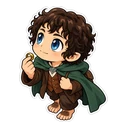
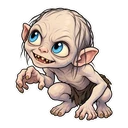
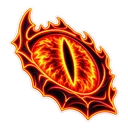
This Lord of the Rings cursor set is four fan-made packs for the long road to Mordor. Gandalf leans on his staff and sets off a firework when you hover a link. Frodo Baggins is paired with Sting glowing blue, and Gollum with a raw fish. Those three are chibi stickers. Eye of Sauron is drawn differently, as a fiery neon sticker with the One Ring as its hover image. Good company for a rewatch or a long evening on a lore wiki.
A wizard, a hobbit, a wretch and the Eye
The four packs follow the Ring. Frodo carries it, Gollum wants it back after centuries of owning it, Sauron made it and searches for it, and Gandalf is the one who works out what it is. That is why these four come before Aragorn, Legolas or Gimli, who are not in the set yet. It also gives you a choice of sides: two of the packs belong to the Fellowship, one to the enemy, and Gollum to nobody but himself.
What the Lord of the Rings hover images refer to
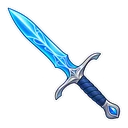
Gandalf's firework goes back to the opening chapter, where hobbits know him mainly for the displays he brings to the Shire. Sting is the Elvish blade Bilbo passes to Frodo at Rivendell, and it glows blue when orcs are near; a sword also makes a natural pointer. Gollum's raw fish is the meal he catches with his hands and prefers to anything cooked. The One Ring replaces the Eye on hover, since the Ring is what the Eye is looking for.
Which Lord of the Rings pack to pick
In dark mode, choose Eye of Sauron: the neon look is at its best against black. Gandalf's grey robes and hat look best on white pages at medium size or larger. Frodo Baggins is the middle option, and his blue blade should stand out on dark pages. Gollum is pale and fine-featured, so use a larger size on the slider. Book readers may lean to Gandalf; film marathon regulars, to the Eye.
All 4 Lord of the Rings packs
Each pack is a matched pair: one image for your normal pointer and one that takes over when you hover a link or button.
- Gandalf and Firework Cursor: chibi Gandalf with his staff for the pointer, a firework on hover.
- Frodo Baggins and Sting Cursor: chibi Frodo for the pointer, Sting glowing blue on hover.
- Gollum and Raw Fish Cursor: chibi Gollum for the pointer, a raw fish on hover.
- Eye of Sauron and One Ring Cursor: the fiery Eye of Sauron for the pointer, the One Ring on hover.
How to add a Lord of the Rings cursor to Chrome
Add Cursor Customiser, the free custom cursor extension, from the Chrome Web Store, then press “Use this pack” on any pack above. It applies straight away.
Related guide: Custom cursor on Windows 11. You can also add a cursor trail or make your own pair.
Where Lord of the Rings cursors work
It shows on web pages in Chrome: Tolkien Gateway, the One Wiki to Rule Them All, r/lotr, interactive maps of Middle-earth and the films or The Rings of Power on a streaming site in a browser tab. It does not show in The Lord of the Rings Online, Return to Moria or any other game client, or in a streaming app on a TV.
Frequently asked questions
Why does Sting glow blue?
In the story the blade glows blue when orcs are close by, a property of the Elvish swords forged in Gondolin. The Frodo Baggins pack draws it lit up as the hover image.
Why is Gandalf's hover pointer a firework?
Gandalf is famous among hobbits for his fireworks, which he brings to Bilbo's birthday party at the start of the story. The firework appears whenever the cursor is over a link or button.
Is the One Ring a cursor in this set?
Yes, as a hover image. In the Eye of Sauron pack the fiery eye is the normal cursor and the One Ring appears when you hover a link. There is no pack with the Ring as the main cursor.
Are these official Lord of the Rings cursors?
No. They are fan-made and unofficial. Cursor Customiser is not affiliated with or endorsed by Middle-earth Enterprises. They are free, with no ads inside the extension and no account.
Fan-made and unofficial. Cursor Customiser is not affiliated with, endorsed by or sponsored by Middle-earth Enterprises. All names and characters belong to their respective owners. Rights holder with a concern? See copyright and takedown requests.