League of Legends Cursors
Five fan-made League of Legends cursor packs for Chrome: four champions and a Poro, each with a signature item on hover.
5 League of Legends cursor packs
All Gaming cursors








Hover a card to preview the cursor, then press “Use this pack” to add it.
About the League of Legends cursor collection
Five fan-made League of Legends cursor packs for Chrome: four champions and a Poro, each with a signature item on hover. Teemo wears his scout hat and leaves a Noxious Trap mushroom. Jinx has her long blue braids and Fishbones, the shark-faced rocket launcher. Ahri shows all nine tails beside her Orb of Deception. Yasuo comes with his ponytail and katana. Poro is fluffy, tongue out, with a Poro-Snax as the hover pointer.
A mushroom, a rocket launcher, an orb and a blade
Each hover image is the thing the champion is known for throwing, planting or swinging. Teemo's Noxious Trap is the hidden mushroom from his ultimate, and leaving it sitting on a link feels about right. Fishbones is the rocket launcher Jinx switches to for long range. The Orb of Deception is the ability Ahri throws out and pulls back. Yasuo's katana is the sharpest shape of the four. The Poro-Snax is the treat you feed Poros on the Howling Abyss, so ARAM players get a pack too.
League of Legends cursor picks for build sites and match history
Build and stats sites pack a lot of small buttons into a dark layout. A blade is about as close to a classic arrow as an item gets, so Yasuo is the most precise pack here, and Fishbones is long and pointed as well. Poro is white and round, which shows well on those dark pages. Jinx's blue hair stands out more on light ones. Ahri's tails add plenty of detail, so turn the cursor size up a step for her.
Which League of Legends pack to pick
Yasuo if you click small targets and want accuracy. Jinx if you spend more time on light pages. Poro if you live in ARAM or browse in dark mode, with no champion required. Teemo is small and bright, a good pick if you enjoy being a nuisance. Ahri rewards a larger cursor size, which you set with the slider in the extension popup.
All 5 League of Legends packs
Each pack is a matched pair: one image for your normal pointer and one that takes over when you hover a link or button.
- Ahri and Orb of Deception Cursor: chibi Ahri with nine tails for the pointer, her Orb of Deception on hover.
- Poro and Poro-Snax Cursor: a fluffy Poro with its tongue out for the pointer, a Poro-Snax on hover.
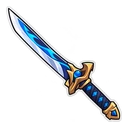
- Yasuo and Katana Cursor: chibi Yasuo with his ponytail for the pointer, his katana on hover.
- Jinx and Fishbones Cursor: chibi Jinx with long blue braids for the pointer, Fishbones on hover.
- Teemo and Noxious Trap Mushroom Cursor: chibi Teemo in his scout hat for the pointer, a Noxious Trap mushroom on hover.
How to add a League of Legends cursor to Chrome
Add Cursor Customiser, the free custom cursor extension, from the Chrome Web Store, then press “Use this pack” on any pack above. It applies straight away.
Related guide: Custom cursors in Opera GX. You can also add a cursor trail or make your own pair.
Where League of Legends cursors work
The packs run in Chrome on leagueoflegends.com, op.gg, u.gg, the League wiki, lolesports.com and Twitch streams in the browser. They are not loaded by the League client or the Riot Client, where the cursor is controlled by the game's own settings, and they do nothing in Wild Rift on mobile.
Frequently asked questions
Will this replace my cursor in a League match?
No. The in-game cursor belongs to the League client and is unaffected. These packs change the pointer on websites in Chrome, such as build guides and match history pages.
What is the hover pointer on the Poro pack?
A Poro-Snax, the treat you feed to Poros on the Howling Abyss. The normal pointer is the Poro itself, tongue out, and the snack appears when you hover a link or button.
Does this bring back the legacy League of Legends cursor?
No. That cursor belongs to the League client, which the extension cannot reach. These packs are fan-made champion stickers for web pages in Chrome, such as build guides, tier lists and match history.
Are these official League of Legends cursors?
No. They are fan-made and unofficial. Cursor Customiser is not affiliated with or endorsed by Riot Games. They are free, with no ads inside the extension and no account.
Fan-made and unofficial. Cursor Customiser is not affiliated with, endorsed by or sponsored by Riot Games. All names and characters belong to their respective owners. Rights holder with a concern? See copyright and takedown requests.