Rick and Morty Cursors
Two fan-made packs make up this Rick and Morty cursor set for Chrome: one chibi pickle and one glowing portal.
2 Rick and Morty cursor packs
All Cartoons cursors
Hover a card to preview the cursor, then press “Use this pack” to add it.
About the Rick and Morty cursor collection
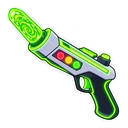
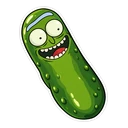
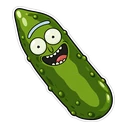
Two fan-made packs make up this Rick and Morty cursor set for Chrome: one chibi pickle and one glowing portal. Pickle Rick grins as your normal pointer and swaps to a single pickle slice when you hover a link. Rick and Morty Portal is drawn differently, as a neon sticker: a swirling green portal for the cursor and a neon portal gun on hover. It is a small set, and both packs are free.
Why a pickle and a portal stand in for Rick and Morty
Neither pack shows Morty, and only one shows Rick, in the form he took to dodge family therapy in season three. That episode made the pickle one of the show's most recognisable images, so it earns the character slot. The portal is the other thing every viewer knows: the green swirl Rick opens with his portal gun to hop between dimensions, usually seconds ahead of trouble. Between them the two packs cover the joke side and the science fiction side.
Chibi sticker or neon glow
Pickle Rick is a chibi sticker with a thin white border. He is mostly green, so he should show clearly on white pages and dark ones alike. The portal pack uses vivid neon tube colours and looks strongest on dark-mode sites, where a glow has something to sit against. Its hover image is the portal gun, so the pair reads as cause and effect: the gun on a link, the portal everywhere else. The pickle slice is the plainer hover of the two.
Which Rick and Morty pack to pick
Choose Pickle Rick if you browse a mix of light and dark sites, or if you want the one other fans will recognise from across the room. Choose Rick and Morty Portal if you live in dark mode on Reddit or a dark wiki theme. Pickle Rick has a face, so give him a medium size on the slider in the popup.
All 2 Rick and Morty packs
Each pack is a matched pair: one image for your normal pointer and one that takes over when you hover a link or button.
- Rick and Morty Portal and Neon Portal Gun Cursor: a swirling neon-green portal for the pointer, a neon portal gun on hover.
- Pickle Rick and Pickle Slice Cursor: Pickle Rick grinning for the pointer, a pickle slice on hover.
How to add a Rick and Morty cursor to Chrome
Add Cursor Customiser, the free custom cursor extension, from the Chrome Web Store, then press “Use this pack” on any pack above. It applies straight away.
Related guide: Custom cursor for Opera GX. You can also add a cursor trail or make your own pair.
Where Rick and Morty cursors work
It shows on web pages in Chrome: the Adult Swim site, the Rick and Morty Wiki on Fandom, Reddit threads, YouTube clips and episodes on a streaming site in a browser tab. It does not show inside a streaming app on a TV, in Discord's desktop app, or in Fortnite, where Rick has appeared as a skin.
Frequently asked questions
Which episode is Pickle Rick from?
The season three episode of the same name, in which Rick turns himself into a pickle to get out of family therapy. The pack shows him as a grinning chibi sticker, with a pickle slice as the hover image.
Is this collection suitable for children?
The artwork is a cartoon pickle and a green portal, with nothing graphic in it. The show itself is written for adults, though, so bear that in mind on a computer children share.
Is there a Morty or Rick Sanchez cursor?
Not at the moment. The set has two packs, Pickle Rick and Rick and Morty Portal. For Morty, Rick in his lab coat or anyone else, upload your own image in the builder and it becomes your cursor.
Are these official Rick and Morty cursors?
No. They are fan-made and unofficial. Cursor Customiser is not affiliated with or endorsed by Adult Swim. They are free, with no ads inside the extension and no account.
Fan-made and unofficial. Cursor Customiser is not affiliated with, endorsed by or sponsored by Adult Swim. All names and characters belong to their respective owners. Rights holder with a concern? See copyright and takedown requests.