Scooby-Doo Cursors
This Scooby-Doo cursor set gives Mystery Inc.
4 Scooby-Doo cursor packs
All Cartoons cursors





Hover a card to preview the cursor, then press “Use this pack” to add it.
About the Scooby-Doo cursor collection
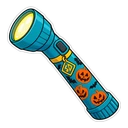
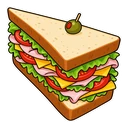
This Scooby-Doo cursor set gives Mystery Inc. fans four fan-made chibi stickers for Chrome. The pack named Scooby-Doo shows him in his collar and turns into a Scooby Snack over links. Shaggy brings a giant sandwich. Mystery Machine puts the gang's van under your hand, with a magnifying glass on hover for clue hunting. Scooby-Doo Halloween hides Scooby under a ghost sheet with a lantern as the hover image, and it is listed with the Halloween cursors too.
Snacks, a sandwich and a magnifying glass
The hover images come straight from the show's habits. A Scooby Snack is the bribe that gets Scooby to walk into the haunted house, so he becomes one when you reach a link. Shaggy's appetite is as big as his fear of ghosts, and the towering sandwich is his. The magnifying glass belongs to the clue hunt, usually Velma's department, and it looks at home over a search box. The lantern is what you carry down a dark corridor just before something groans.
The Scooby-Doo Halloween pack, and using it out of season
A dog under a bedsheet is a fair summary of the series, where nearly every ghost turns out to be someone in a costume. That makes the Halloween pack the most in-character one here, and nothing stops you using it in March. The white sheet suits dark pages and can fade on white ones. Fred, Daphne and Velma do not have packs yet. The van stands in for the whole gang until they do.
Which Scooby-Doo pack to pick
Mystery Machine has a boxy shape and bright colours, so it stays clear at small sizes and on dark pages. The Scooby-Doo pack is warm brown and easy to see on white pages. Shaggy has more detail: set him to medium or large on the slider. Keep Scooby-Doo Halloween for October and for dark-mode sites. If you spend the day in search results, the magnifying glass in the van pack earns its place.
All 4 Scooby-Doo packs
Each pack is a matched pair: one image for your normal pointer and one that takes over when you hover a link or button.
- Scooby-Doo and Scooby Snack Cursor: chibi Scooby in his collar for the pointer, a Scooby Snack on hover.
- Mystery Machine and Magnifying Glass Cursor: the Mystery Machine van for the pointer, a magnifying glass on hover.
- Scooby-Doo Halloween and Lantern Cursor: Scooby under a ghost sheet for the pointer, a lantern on hover.
- Shaggy and Giant Sandwich Cursor: chibi Shaggy for the pointer, a giant sandwich on hover.
How to add a Scooby-Doo cursor to Chrome
Add Cursor Customiser, the free custom cursor extension, from the Chrome Web Store, then press “Use this pack” on any pack above. It applies straight away.
Related guide: Changing your cursor on Chrome, step by step. You can also add a cursor trail or make your own pair.
Where Scooby-Doo cursors work
It shows on web pages in Chrome: the Scoobypedia wiki on Fandom, YouTube clips, the Cartoon Network and Boomerang sites and episodes on a streaming site in a browser tab. It does not show in a streaming app on a TV or tablet, or in console and PC games such as Night of 100 Frights.
Frequently asked questions
Is the Halloween Scooby pack only for October?
No. You can apply Scooby-Doo Halloween in any month. It is tagged as a Halloween cursor so that it also appears alongside the other seasonal packs, and its white ghost sheet looks best on dark pages all year.
Why does Shaggy come with a sandwich?
Shaggy's appetite is one of the show's longest-running jokes; he and Scooby build towering sandwiches whenever a kitchen is nearby. The giant sandwich is his hover image, shown whenever the cursor is over a link.
Is there a Velma, Daphne or Fred cursor?
Not at the moment. The set has Scooby, Shaggy, the Mystery Machine and the Halloween ghost pack. To use Velma or another member of the gang, upload your own image in the builder.
Are these official Scooby-Doo cursors?
No. They are fan-made and unofficial. Cursor Customiser is not affiliated with or endorsed by Warner Bros.. They are free, with no ads inside the extension and no account.
Fan-made and unofficial. Cursor Customiser is not affiliated with, endorsed by or sponsored by Warner Bros.. All names and characters belong to their respective owners. Rights holder with a concern? See copyright and takedown requests.